0. Plan
Dynamic Height를 구현하기 위해서 AutoLayout Constraints 제약조건으로SubView들의 높이의 합을 구해야한다.
- 이를
systemLayoutSizeFitting메서드를 통해 계산할 수 있다.
1. Apple Document + blog
systemLayoutSizeFitting(_:withHorizontalFittingPriority:verticalFittingPriority:)
constraints와 지정된 우선순위를 기반으로 뷰의 최적 사이즈를 반환한다.
func systemLayoutSizeFitting(
    _ targetSize: CGSize,
    withHorizontalFittingPriority horizontalFittingPriority: UILayoutPriority,
    verticalFittingPriority: UILayoutPriority
) -> CGSize
Parameters
- targetSize: CGSize
- 반환하고 싶은 View의 사이즈를 적으면 된다.
layoutFittingCompressedSize를 지정해서 가능한 View 작은 사이즈를 얻을 수 있고,layoutFittingExpandedSize을 지정해서 가능한 View의 큰 사이즈를 얻을 수 있기 때문이다.
- horizontalFittingPriority: UILayoutPriority
- horizontal constraints 우선순위
- targetSize의 horizontal constraints 우선순위를 부여하는듯??
- targetSize의 width값에 가능한 가까운 width값을 얻기위해 fittingSizeLevel를 지정하라
- verticalFittingPriority: UILayoutPriority
- vertical constraints 우선순위
- targetSize의 height값에 가능한 가까운 height값을 얻기위해 fittingSizeLevel를 지정하라
UILayoutPriority
레이아웃 우선순위는 constraint-based 레이아웃 시스템에게 어떤 제약조건이 더 중요한지 나타내서, 시스템이 전체적으로 제약조건을 만족시키는데 적절한 균형을 유지할 수 있도록 한다.
2. 정리
layoutFittingCompressedSize와layoutFittingExpandedSize는 각각(10000, 10000),(0, 0)값을 가지는 단순한 상수값이다.
- 우선순위에 fittingSizeLevel을 지정하면 뷰의 내용물의 Constraints를 통한 뷰의 크기를 알려주고, required를 지정하면 우리가 넣은 targetSize에서 값을 가져온다.
- 때문에, 단순히 Constraint를 통해 값을 얻어올거라면
layoutFittingCompressedSize를 넣든,layoutFittingExpandedSize를 넣든 아니면아무 상관없는 값을 넣든간에 우선순위에fittingSizeLevel값을 넣으면 아무런 영향이 없다!
fittingSizeLevel은 애초에systemLayoutSizeFitting함수에서 내용물 크기 계산을 위해 태어난 녀석인듯 하다. 애플 소스코드 설명을 보면 매우 낮은 이녀석의 우선순위를 가진 제약조건을 생성함은 부적절하다고 보여지고systemLayoutSizeFitting에서 내용물 계산할 때 사용하라고 한다.When you send -[UIView systemLayoutSizeFittingSize:], the size fitting most closely to the target size (the argument) is computed. UILayoutPriorityFittingSizeLevel is the priority level with which the view wants to conform to the target size in that computation. It's quite low. It is generally not appropriate to make a constraintat exactly this priority. You want to be higher or lower.
3. 활용
UICollectionView Header with Dynamic Height 구현
Problem
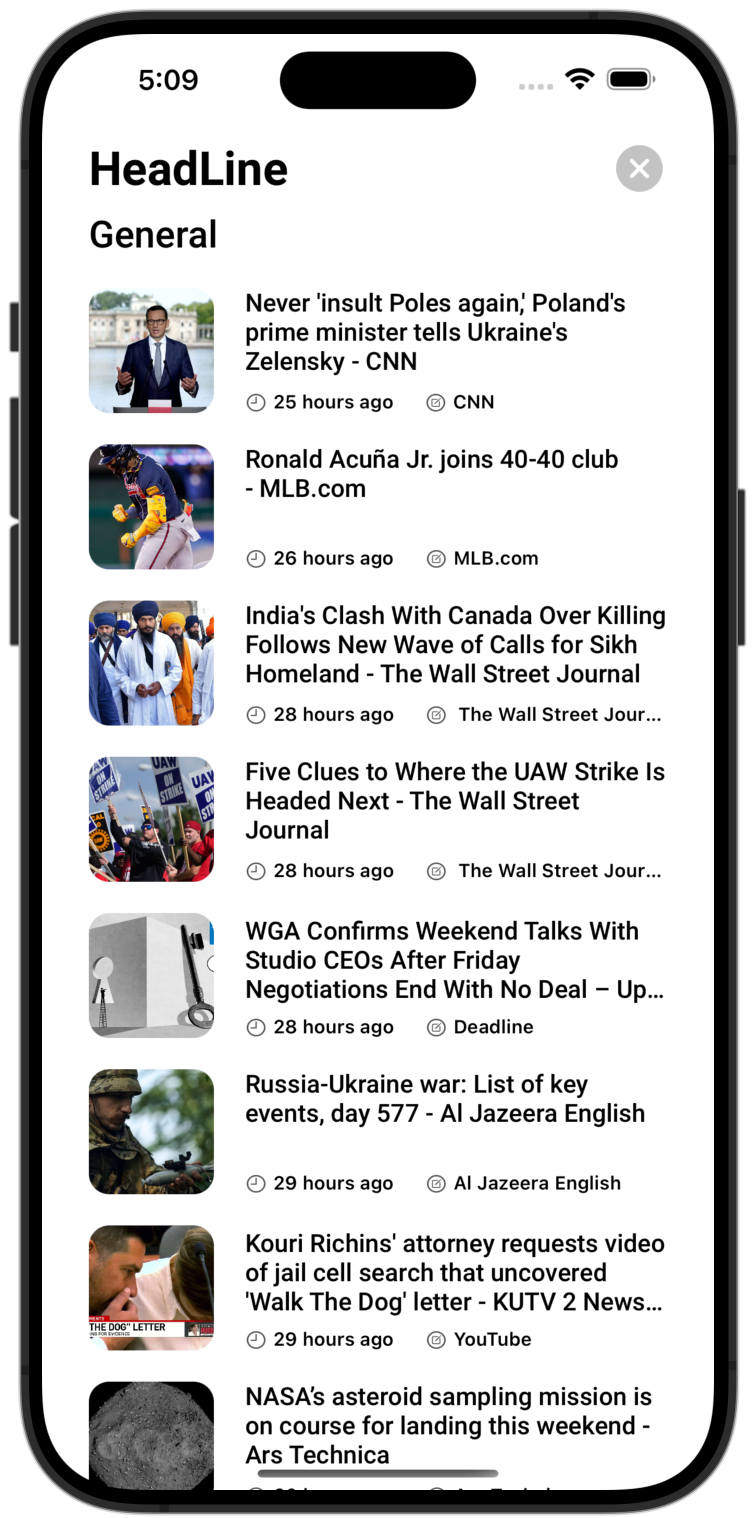
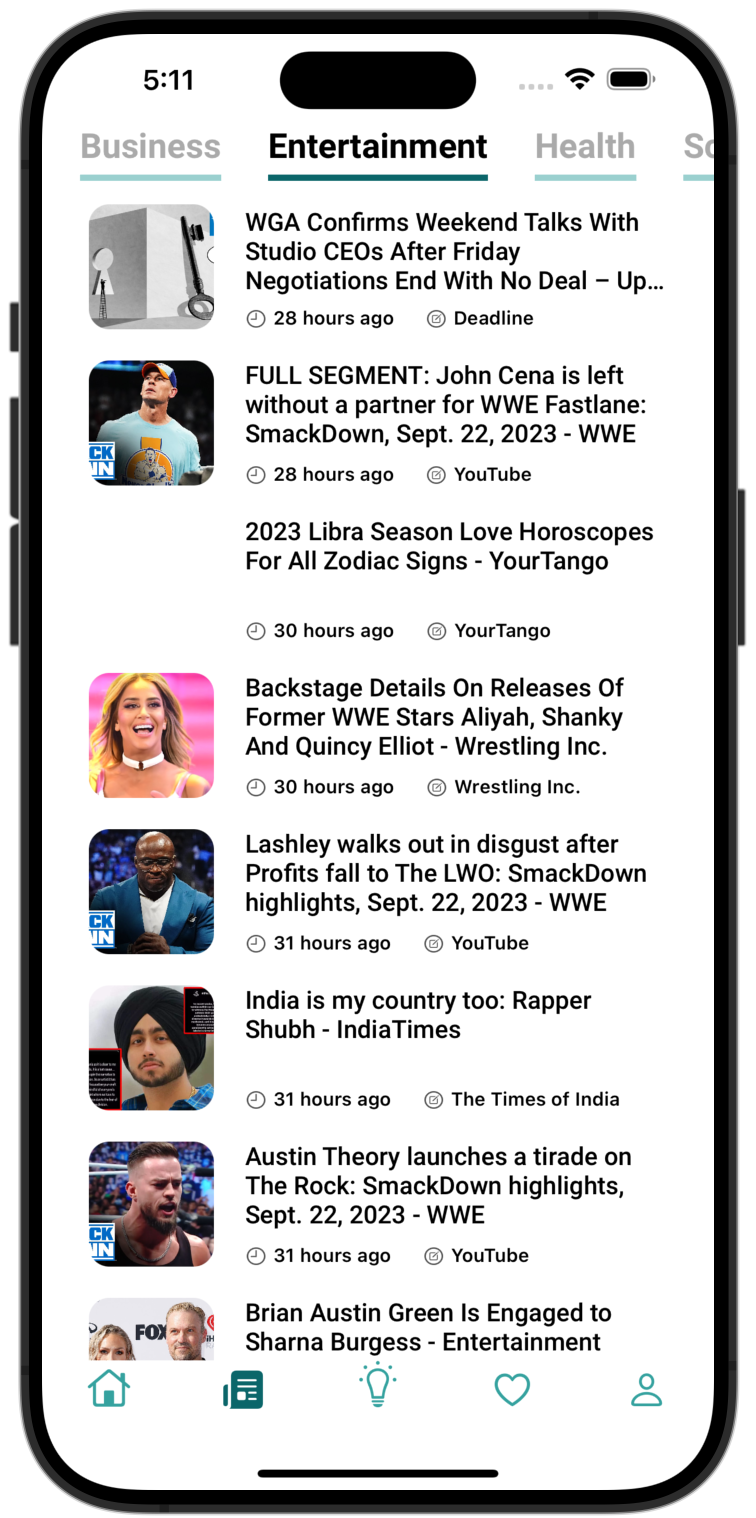
하나의 Header를 통해서 뷰에 어떤 뷰를 서브뷰로 넣더라도 동적으로 높이를 계산해 그 높이를 가지는 Header를 구성하려한다.headline 페이지에서 동적높이를 적용하고, 아닌 페이지에서는 높이를 40으로 고정한다.
- AutoLayout으로 지정한 View의 크기에 맞게 Header가 동적으로 알아서 크기를 지정하도록 하고 싶지만, 각 내용물의 크기를 intrinsicSize 등을 통해 계산함은 번거롭고 코드도 복잡해진다. 이를 systemLayoutSizeFitting으로 해결할 수 있다.
Implement
- 동적 높이를 지정하기 위해서
UICollectionViewDelegateFlowLayout의referenceSizeForHeaderInSection section: IntCGSize메서드에 사이즈 반환
- 메서드 안에 크기 계산을 위한 Header 생성 headline Page일 때 HeadLineViewHeader 헤더객체 생성하고, 아닐 때 CategoryHeader 헤더객체 생성
func collectionView(_ collectionView: UICollectionView, layout collectionViewLayout: UICollectionViewLayout, referenceSizeForHeaderInSection section: Int) -> CGSize {
    let header = headline ? HeadLineViewHeader() : CategoryHeader()
}
- width는 화면 width에 맞게 고정시켜야 하므로
targetSize에UIScreen.main.bounds.width값을 넣고 우선순위로required를 부여해서 값이 그대로 나오도록 해야한다.
- height는 내용물의 높이를 계산해서 반환해야 하므로
targetSize에 어떤 값을 넣어도 딱히 상관은 없지만 취지에 맞게UIView.layoutFittingCompressedSize.height값을 넣고, 우선순위로 사이즈를 계산할 때 넣어야 하는fittingSizeLevel을 부여한다.
- 이를 코드로 작성하면 다음과 같다.
func collectionView(_ collectionView: UICollectionView, layout collectionViewLayout: UICollectionViewLayout, referenceSizeForHeaderInSection section: Int) -> CGSize {
    let header = headline ? HeadLineViewHeader() : CategoryHeader()
    let size = headline ? header.systemLayoutSizeFitting(
        CGSize(width: UIScreen.main.bounds.width, height: UIView.layoutFittingCompressedSize.height),
        withHorizontalFittingPriority: .required,
        verticalFittingPriority: .fittingSizeLevel
    ) : CGSize(width: UIScreen.main.bounds.width, height: 40)
		return size
}
4. 구현 결과
Header의 SubView가 서로 다른 높이인 Constraints를 가지지만 그 SubView에 맞게 Header의 높이가 계산되어 적용되었다.
'UIKit' 카테고리의 다른 글
| UIImageView를 Image 크기에 맞추기 [Swift] (0) | 2023.08.26 |
|---|---|
| cell의 이벤트 에러 [Swift] (0) | 2023.08.21 |
| addGestureRecognizer와 addTarget 차이 [Swift] (0) | 2023.08.21 |
| UITextView의 intrinsicContentSize (0) | 2023.08.18 |
| Firebase currentUser 에러 해결방법 in iOS Swift (0) | 2023.08.10 |

